
Electrical BIM/VDC Cuts Rework on Fast-Track Projects
18 February 2026
Fast-track projects feel like someone hit “play” before the plan was finished. Steel is up, concrete is curing, subs are mobilizing, and the design still has blanks. Electrical teams get stuck in the middle of it because power and low-voltage touch almost every room, every ceiling, every equipment pad. The result is predictable: reroutes, re-pulls, missed sleeves, trays fighting ducts, crews waiting, then working nights to recover.
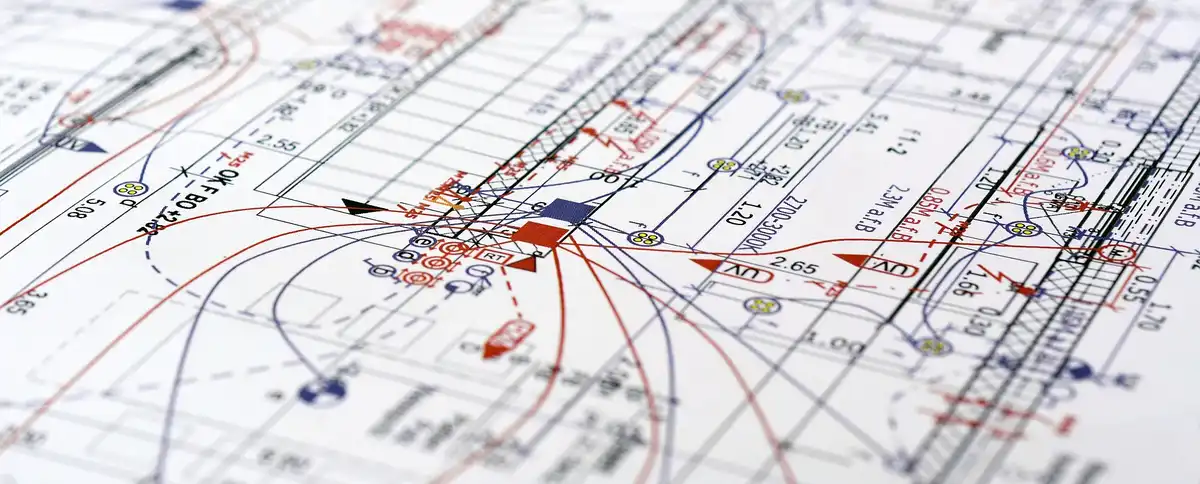
Electrical BIM/VDC isn’t a magic shield. It’s a way to force install decisions earlier, in a controlled place, before the jobsite turns into a guessing contest. The sections below break down where electrical rework starts, what coordination workflows actually reduce tear-out, and how to keep the model useful when the schedule is sprinting.
Fast-Track Jobs Create Rework by Default
What “fast-track” really means for electrical scope
Fast-track usually sounds like “we’re being efficient.” On the ground it means partial design packages released early, procurement running alongside design, and construction starting while key details are still shifting.
Electrical teams see it in a few recurring ways:
- Ceiling heights change after rough-in routes were planned
- Mechanical equipment selections arrive late, with different power loads and connection points
- Wall types adjust, affecting box depths, fire ratings, and penetration needs
- Riser space is “temporary” until a trade coordination meeting finally lands a decision
Design and build overlap. Fabrication overlaps too. It can work, sure. It just needs guardrails.
The hidden cost of speed
Speed has a quiet tax. Overtime becomes “normal.” Crew density jumps. Work areas stack in the same corridor. One small miss—like a sleeve shifted 8 inches—turns into coring, patching, firestopping, inspections, and a schedule dent that nobody wants to own.
Even worse, rework isn’t only labor. It’s momentum. People stop trusting drawings. Foremen start improvising. That’s when a fast-track job starts eating itself.
What Electrical Rework Looks Like on Site (Real Stuff, Not Theory)
The most common rework types
Electrical rework shows up in blunt, expensive moves:
- Conduit reroutes because a beam, duct, or header landed where the path used to be
- Replacing tray sections after clearance vanished above a corridor grid
- Re-drilling cores because sleeves were missing, mis-sized, or set off-center
- Shifting panels and gear to match updated access clearances
- Pulling cable twice when routes change after rough-in
- Relabeling circuits after equipment schedules get rewritten
None of this feels dramatic on paper. On site it burns days.
Where rework usually begins
A lot starts with background instability. Architecture isn’t frozen, or the model is lagging behind addenda. Equipment is a moving target. MEP trades are all racing, so the “final route” becomes whatever got installed first.
Rework also pops up when coordination is treated like a 3D beauty contest. If the model looks tidy but doesn’t match field install rules, crews will crash into reality and lose time.
Early warning signs you’re about to eat rework:
- Crews asking “where do you want it?” more than once per area
- Sleeves marked “TBD” in concrete zones
- Corridors being roughed without an agreed elevation plan
- RFIs piling up around risers, shafts, and equipment rooms
- Foremen carrying their own sketch sets because prints are stale
Why Electrical Gets Hit Hard on Compressed Schedules
Electrical touches everything
Electrical scope isn’t isolated. Power, lighting, fire alarm, low voltage, controls—each one has interfaces. A single air handler change can move feeders, disconnects, controls conduit, and cable tray runs. A ceiling redesign can shift lighting layouts, devices, and pathways in a chain reaction.
That dependency means electrical rework can get triggered by decisions made somewhere else. It’s not fair. It’s still true.
The ceiling is the battlefield
Most fast-track pain lives above the ceiling. Corridors, patient areas, labs, kitchens, retail back-of-house—every one becomes a congestion zone. Duct mains need straight runs. Plumbing wants slope. Fire protection needs coverage. Electrical wants clean lanes and access.
Then add hanger requirements, seismic bracing, access panels, lighting patterns, and inspection clearances. Inches matter. When inches disappear, electrical gets rerouted.
Electrical BIM/VDC as a Rework-Reduction System (Not “Pretty 3D”)
The goal: install-ready decisions earlier
The whole point is simple: solve install questions in coordination, not in the hallway with three trades staring at the ceiling.
That means making real choices early:
- Corridor lanes and elevation bands
- Riser routing strategy
- Sleeve locations and sizes
- Equipment connection points and clearance zones
- Hanger and support intent where it affects other trades
If a team won’t commit to those decisions, BIM becomes a screenshot factory. Nobody needs that.
Model guardrails that stop chaos
A fast-track coordination model survives only with basic rules:
- Shared coordinates, checked early, checked again later
- Naming rules so items can be tracked and scheduled
- A weekly update rhythm so field teams aren’t building last month’s plan
- Clear ownership of zones and components (no overlap, no confusion)
If you want a deeper look at what that workflow can include, SJS VDC outlines their approach to electrical BIM coordination and how coordination stays tied to install needs instead of just visuals.
Coordination Moves That Cut Rework the Most
Clash control that focuses on high-cost conflicts
Clash detection is easy to abuse. You can generate thousands of clashes and “resolve” them in meetings until everyone is numb. The useful version is blunt: chase clashes that cause tear-out.
High-cost conflict zones:
- Risers and shafts
- Main corridors
- Equipment rooms with dense utilities
- Structural penetrations and embeds
- Areas with hard ceilings or limited access after close-in
Tiny clashes between a cable tray and a sprinkler branch might not matter if the sprinkler can flex. A tray through a beam pocket matters. Pick battles with a cost lens.
Corridor zoning strategy
Corridors deserve their own plan. A basic zoning strategy reduces chaos fast:
- Define a tray lane, a conduit lane, and clear access lanes
- Set elevation bands: “tray stays here,” “duct stays there,” “pipe has this slope window”
- Agree on crossing rules so trades know what happens at intersections
- Lock a “no-fly zone” around lights, diffusers, access panels, and seismic braces
It doesn’t need to be perfect. It needs to be shared, consistent, and enforced.
Sleeve + penetration planning before concrete is poured
Sleeves are where rework gets mean. Miss the sleeve, now you core. Core wrong, now you patch. Patch late, now you re-inspect. It keeps going.
Good sleeve planning includes:
- Sleeve maps tied to structural grids and levels
- Size control based on real routes, not guesses
- Tracking updates so “old sleeves” don’t survive into a pour package
- Coordination with firestopping requirements early, so nobody gets surprised later
A sleeve plan isn’t glamorous. It saves real money.
Mini-table (simple, practical):
| Coordination target | Rework avoided | Sign-off needed |
| Corridor elevation bands | conduit reroutes, tray re-hangs | MEP leads + GC |
| Sleeve maps | coring, patching, inspection resets | Structural + MEP |
| Riser routing | stacked clashes, gear shifts | Trades + design |
| Equipment connections | feeder re-pulls, disconnect moves | Electrical + vendor |
Turning the Model Into Install Packages (So Crews Don’t Freestyle)
Spool-style outputs for electrical
Electrical install needs packages that answer “what goes where” without interpretation. Depending on job type, that can look like:
- Rack and tray layout sheets by zone
- Hanger points and support intent where it affects clearances
- Sleeve sheets with grids and offsets
- Layout points for sleeves, racks, gear pads, major conduit banks
- Sequence notes that match the schedule reality
The package should fit the crew’s day. Nobody wants a 70-page PDF for a single corridor run.
Prefab that actually lands on time
Prefab helps when it’s tied to a stable plan. If the plan is still sliding, prefab can backfire.
Electrical prefab that tends to work well on fast-track jobs:
- Pre-assembled racks and multi-trade support systems
- Kitted device packages for repeatable room types
- Pre-cut tray sections when corridor bands are locked
- Pre-made conduit assemblies for repetitive routing patterns
Prefab works best when the model is “stable enough,” not perfect. Honest note: some teams push prefab too early and regret it.
Field constraints baked into the plan
Install-ready isn’t only geometry. It’s access, serviceability, and code-driven spacing. A route that “fits” can still fail if a tech can’t reach a junction box later, or if clearance around gear isn’t respected.
Good VDC packaging calls out:
- Service clearance zones around panels and equipment
- Access panel needs and conflicts
- Headroom realities in tight ceilings
- Seismic and support requirements where they eat space
Sometimes the right answer is “route it lower.” It looks less tidy. It installs clean.
The Feedback Loop That Keeps Fast-Track From Falling Apart
Field-to-model updates without drama
Fast-track jobs need a tight loop between what got installed and what the model thinks exists.
Practical ways to keep it moving:
- Issue logs that are short and visible
- Photo-based markups tagged to location
- Daily or near-daily redline capture in critical zones
- Clear rules on who pushes changes into the model
When the field sees their issues reflected quickly, they keep using the model. When updates take weeks, they stop caring.
Reality capture when it matters
You don’t need scanning everywhere. Use it where congestion and risk are high.
Strong use cases:
- Riser rooms before finalizing trade routes
- Corridors with dense utilities
- Renovations where existing conditions are unreliable
- Areas where drywall close-in will block access
Scanning can also settle arguments fast. People love opinions. A scan is less polite.
Model QA That Prevents “Wrong-but-Beautiful” Deliverables
Common QA checks
QA should be boring and strict. Stuff to check on every cycle:
- Elevations consistent by zone
- Clearances validated around gear and access points
- Penetrations aligned with structure and fire requirements
- Equipment connection data matches latest submittals
- Tray routes don’t pass through “future duct” zones
- Hanger intent won’t collide with other trade supports
If QA is skipped, the model becomes a confident liar.
Review meeting format that fits fast-track pace
Long coordination meetings kill progress. A tight meeting wins.
A format that works:
- 20–30 minutes, once a week, focused on top conflict zones
- Decisions logged immediately, assigned owners, due dates
- Next update date announced every time
- No wandering debates about “ideal” routing, only install reality
Electrical BIM/VDC weekly QA list (quick):
- Corridor band check
- Riser path check
- Sleeve plan check
- Gear clearance check
- Lighting conflicts scan
- Access panel conflicts scan
- High-cost clash review
- Field issue log review
- Print set refresh for zone packages
- Open RFIs tied to install
Measuring Rework Reduction Without Making Stuff Up
Metrics teams can track
Measuring rework sounds corporate until you connect it to real pain. Keep it simple:
- Rework hours logged per area
- RFI count and average response time
- Change orders tied to coordination issues
- Install productivity for key tasks (devices per day, tray feet per day)
- Inspection failures linked to penetrations, access, or clearances
You don’t need perfect data. You need trend lines that tell you if the job is stabilizing.
What “good” can look like
You’ll notice it before the spreadsheet does.
- Fewer late reroutes in corridors
- Cleaner rough-in flow with fewer “stop and ask” moments
- Less trade interference around ceiling close-in
- Fewer firestop surprises because sleeves were planned and tracked
Some rework still happens. Fast-track never becomes calm. The goal is fewer disasters.
Pitfalls That Bring Rework Back (Even With BIM/VDC)
Modeling too much, too early
Over-detail can slow decisions. People start obsessing over tiny items that won’t drive field outcomes. If the schedule is tight, detail should match the risk zones, not every room.
I’ve seen teams model every device perfectly, then miss the corridor lanes. That’s backwards.
Stale models
A stale model is worse than no model because it looks official. If background updates lag, field teams will build off old conditions. Then the corrections show up as rework.
A weekly refresh rhythm is the minimum on a fast-track build. Some zones need faster.
Ownership confusion
If two trades model the same area, conflicts multiply. If nobody owns final calls in congestion zones, decisions drift. That drift becomes install improvisation. Improvisation becomes tear-out.
Pick owners. Keep it blunt.
Fast-Track Electrical BIM/VDC Starter Kit (Week 1 Actions)
Set the rules before the rush
Week 1 is where the job either gets structure or turns into chaos later.
Do these early:
- Lock coordinates and shared datum
- Set naming rules and zone breakdown
- Establish corridor lanes and elevation bands
- Choose a riser routing strategy and stick to it
- Define sleeve plan workflow and sign-off roles
Decide the first 3 coordination battles to win
Trying to coordinate everything at once usually fails. Pick the zones that cause maximum damage if wrong:
- Main corridors on critical floors
- Risers and shafts feeding major areas
- Equipment rooms with tight footprints
Win those first. Then expand.
Simple alignment checklist for PM + foreman + VDC lead
This is the short list that keeps people aligned:
- What gets issued as install packages (and when)
- What the field is allowed to build from (latest zone set only)
- How changes get approved and pushed into the model
- Who signs off corridor bands, sleeves, and riser paths
- How field issues get logged so they don’t vanish
Fast-track doesn’t forgive slow communication. Electrical BIM/VDC gives you a place to make hard decisions early, keep them visible, and stop the job from paying twice for the same work.
Comments on this guide to How Electrical BIM/VDC Cuts Rework on Fast-Track Projects article are welcome.
BIM
Overcome airport construction complexities with BIM

BIM: Building Information Modelling
BIM Objects and Building Products: Computer Design
Macro BIM: Building Information Modelling
++
Revit
AutoCAD and Revit transform the construction industry
Use Cases of Revit in Architecture
+++
Home Articles
Architecture
Comments / photos for the How Electrical BIM/VDC Cuts Rework on Fast-Track Projects – Turning Reality Capture into Digital Intelligence and Where It’s Heading page welcome.


